Planua Product Update: Faster Staging and Stronger Room Fidelity
A look at Planua's latest virtual staging improvements, from stronger room preservation and guided projects to batch staging, review, and export.
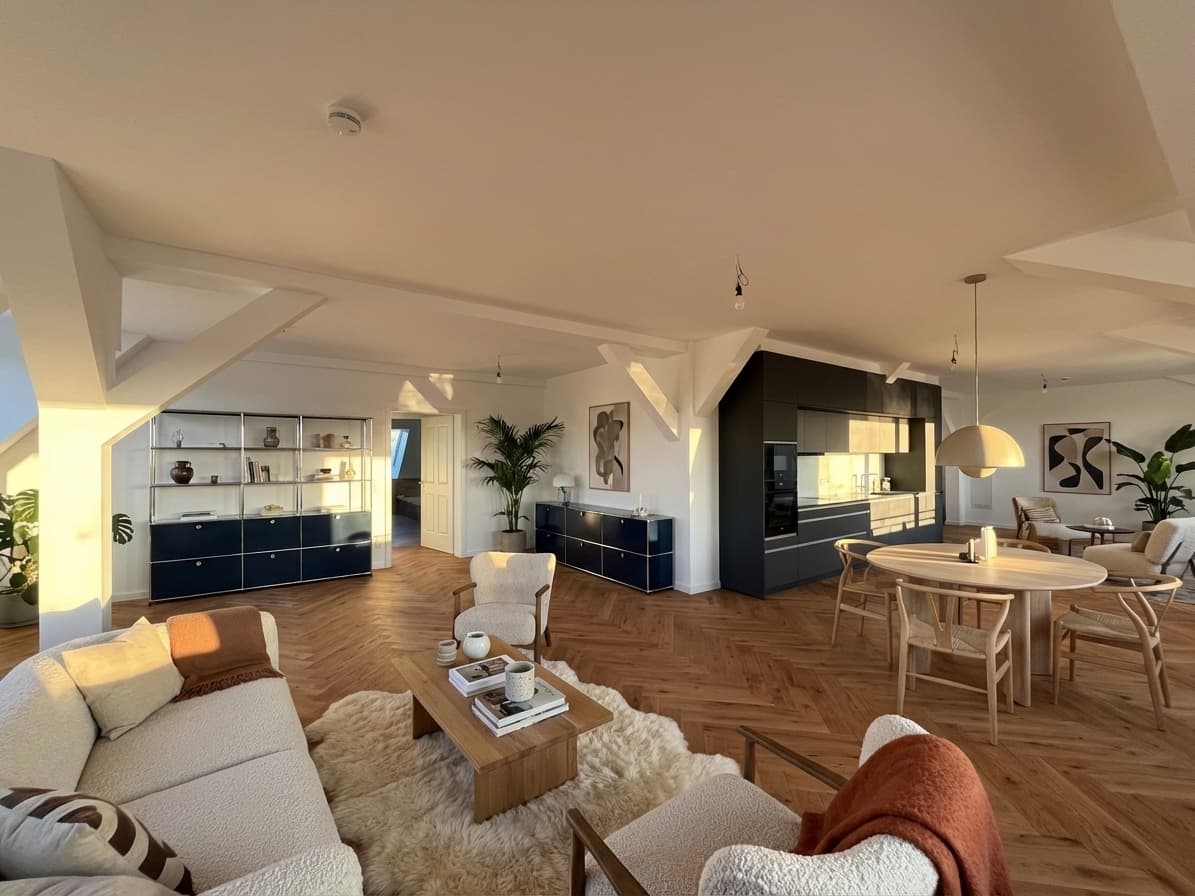
A convincing staged room is only one part of the job. Real estate teams also have to organize source photos, keep the property accurate, review every result, request another version when needed, and export the images that are actually ready for a listing.
This Planua product update brings those steps into a more direct workflow. The biggest changes are stronger safeguards around the original room, a guided project workspace, multi-photo staging, and a clearer path from upload to approval.
Quick Answer
Planua now puts room staging at the center of the studio and guides a listing through three practical stages: photos, staging, and review and export.
The update includes:
- stronger source-room and architectural fidelity safeguards;
- a project workspace built around real listing photos;
- the ability to select and stage several photos in one operation;
- side-by-side review of original and staged images;
- clear approve, adjust, retry, and export actions;
- more headroom for larger source images;
- and faster loading across the studio and dashboard.
Generative image tools can still produce imperfect results. Every staged image should be compared with its source and reviewed under the rules that apply to the listing.
What Changed at a Glance
| Update | What it changes in practice |
|---|---|
| Stronger room fidelity | The source frame and permanent room features receive more protection during generation and validation |
| Guided listing projects | Photos, staging progress, review, and export stay together in one project |
| Multi-photo staging | Teams can select several listing photos and move them into a staging batch |
| Side-by-side review | Reviewers can compare the original room with the staged result before approval |
| Clear result states | A result can be approved, marked for adjustment, retried, or exported |
| Better input handling | Larger source files have more room to enter the interior-editing pipeline |
| Studio performance work | Important controls load first while heavier workspace features are deferred until needed |
Stronger Protection for the Original Room
Virtual staging is useful when it helps a buyer understand an empty space. It becomes risky when the process changes the property itself.
Planua's updated interior pipeline treats the source photo as the reference frame. It analyzes the scene, distinguishes editable content from permanent architecture, and carries structural constraints into generation and quality review. The workflow is designed to preserve the crop, camera position, room boundaries, and fixed features while furniture and decor are added.
That matters for details such as:
- walls, ceilings, and floor boundaries;
- windows and doors;
- built-ins, radiators, and permanent fixtures;
- the room's perspective and apparent proportions;
- and circulation areas that should remain usable.
These safeguards reduce avoidable drift, but they are not a guarantee that every generation is publishable. Planua still makes the original-versus-result comparison a visible part of the workflow. Our review of virtual staging software discussions explains why room accuracy, scale, contact, and repeatability should all be tested together.
One Guided Flow From Listing Photos to Export
The larger change is organizational. Planua projects now follow the way a listing team actually works instead of treating each image as an isolated generation.
Add the listing photos
A project begins with the source photos. Upload progress and photo status stay attached to the listing, so the team has one place to see what is ready, what is currently staging, and what needs attention.
Select and stage several rooms
Teams can select the photos that are ready and start a staging batch. Each result remains connected to its original photo and project. That makes the workflow more useful for a complete apartment or listing set than a sequence of unrelated one-off edits.
If multi-photo throughput is the main concern, the bulk virtual staging workflow shows how Planua fits repeat listing volume.
Review every result against the original
Finished images move into a review queue. The original and staged images appear side by side, with the room and staging direction available to the reviewer.
From there, the reviewer can:
- approve the image;
- mark it for adjustment;
- try another result;
- or move to the next image in the queue.
This is intentionally a decision step, not a decorative gallery. The goal is to make source comparison part of normal production instead of something a team remembers only after an image looks suspicious.
Export only approved images
Approved results move into a focused export step. Teams can select the listing images they want, download them, and keep a visible record of what has reached export status.
The result is a simple progression:
- Add photos.
- Select the rooms to stage.
- Review the completed results.
- Approve, adjust, or retry.
- Export the approved listing set.
For a more detailed operating checklist, see the virtual staging workflow for real estate photos.
Room Staging Is Now the Main Studio Action
Planua's dashboard and project creation flow now lead with the most common job: staging an empty room.
This sounds like a small interface change, but it removes decisions that slowed down the first result. A user can start with a room photo, choose the listing context and staging direction, and enter the guided workflow without first navigating through less relevant creation modes.
The same focus carries into existing projects. The primary action changes with the state of the listing: add photos, stage the available photos, review completed results, or export approved images. The workspace shows the next useful action instead of presenting the same controls at every stage.
Better Handling for Real Listing Inputs
Listing photos do not always arrive as perfectly compressed web assets. We increased the source-image headroom available to interior editing and kept image preparation inside the workflow, making it easier to begin with higher-resolution listing files.
We also improved upload recovery, thumbnail fallback behavior, and regeneration checks. These are quieter changes, but they matter when a team is working through several photos and expects the workspace to remain coherent after an upload, refresh, or retry.
A Faster, More Focused Studio
The studio has also received a performance pass. Loading states now provide clearer continuity, and heavier workspace panels, review tools, and export tools are split so they can load when they are needed.
This work does not change the creative controls themselves. It makes the route into them lighter and reduces the amount of interface code competing with the first useful action.
Alongside the product work, we improved German localization across the marketing and documentation experience and expanded the public guidance around virtual staging, disclosure, and software evaluation.
Review and Disclosure Still Matter
Stronger safeguards should support human review, not replace it.
Before a staged image is published, the responsible agent, photographer, or brokerage should still verify:
- that permanent property features match the source photo;
- that furniture scale and placement are plausible;
- that the image does not imply a renovation or feature that does not exist;
- that the original photo is retained;
- and that labeling and disclosure follow the relevant brokerage, portal, MLS, and local requirements.
Rules vary by market and platform. Planua does not decide whether a particular image is compliant for a specific listing. The AI virtual staging disclosure guide provides a practical starting workflow, but teams should confirm the requirements that apply to them.
Where Planua Fits
Planua is built for real estate teams that want more than a one-image demo. The product connects room-aware generation with the project steps needed to turn source photos into a reviewed listing set.
The updated workflow is especially relevant when you want to:
- start with a real empty-room photo;
- preserve the room while adding buyer-appropriate furniture;
- stage several photos under one listing;
- compare every output against its original;
- separate results that need adjustment from results that are approved;
- and export only the images the team has reviewed.
You can explore Planua's virtual staging software or use the getting-started guide before testing it on a live listing.
Final Takeaway
This update moves Planua closer to a complete listing workflow: stronger protection for the room, fewer steps to begin staging, clearer multi-photo progress, and an explicit review and export path.
The best way to evaluate those changes is still practical. Choose one real listing, upload a representative set of empty-room photos, and judge the full route to an approved image—not only the first generation.
Try the updated Planua workflow with a listing photo and keep the original beside every result you review.
Try It On A Real Listing
Ready to turn empty room photos into listing-ready interiors?
Use this topic on a real listing and see how Planua fits your virtual staging workflow.
Keep Reading
Related virtual staging guides
Virtual Staging AI alternatives
Virtual Staging AI Alternatives for Real Estate Teams
Compare Virtual Staging AI alternatives by structural fidelity, review effort, pricing fit, and readiness for repeatable real estate listing work.
virtual staging software reddit reviews
Virtual Staging Software Reddit Reviews: What Agents and Photographers Say
A transparent analysis of Reddit discussions about virtual staging software, covering room accuracy, realism, consistency, pricing, review, and disclosure.
real estate staging software
Real Estate Staging Software: A Buyer's Guide for Teams
Compare real estate staging software by output fidelity, listing workflow, team review, pricing model, and fit for repeated virtual staging.