Virtual Staging for Real Estate Photos: A Listing Workflow
A practical workflow for using virtual staging on real estate photos, from room selection and review to disclosure, team scale, and software fit.
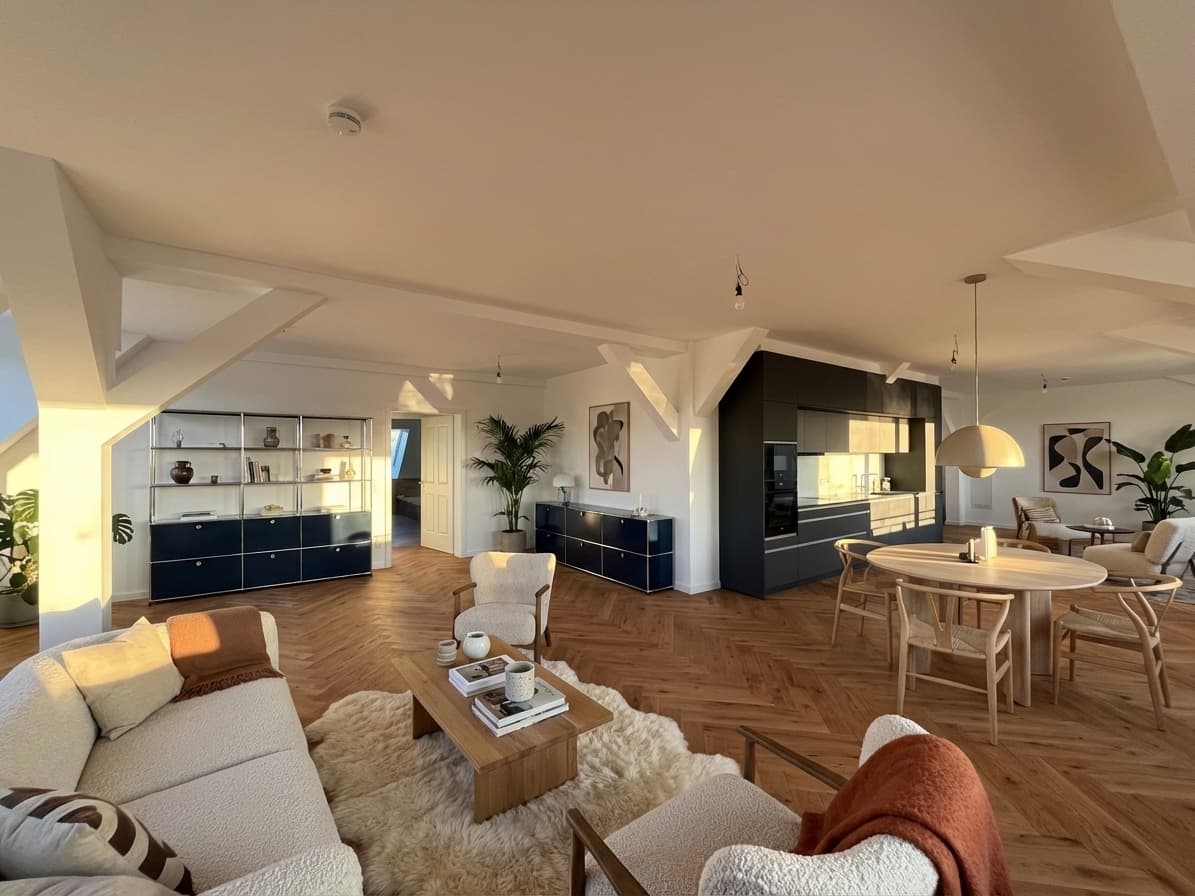
Virtual staging for real estate photos is not just an image-generation task. For agents, photographers, and listing teams, the real decision is whether a staged image can help buyers understand an empty room without creating review, trust, or disclosure problems later.
The strongest workflow starts with the source photo, not the tool. A good virtual staging process should preserve the real room, fit the buyer profile, support team review, and connect cleanly to the listing workflow your agents already use.
Quick Answer
Use virtual staging for real estate photos when the source image shows a clean, empty, or under-explained room and the team needs a faster way to show scale, layout, and likely use.
The best workflow is simple:
- pick rooms where furniture context will genuinely help buyers,
- stage from the original listing photo instead of inventing a new room,
- review walls, windows, floors, fixtures, and proportions before publishing,
- keep the original image available for comparison,
- and route the final image through the same disclosure and approval checks as the rest of the listing package.
For teams that need repeatable review rather than one-off edits, Planua's virtual staging software is the natural money-page next step.
If the person turning these photos into client deliverables is a real estate photographer, connect this workflow to the virtual staging for real estate photographers guide and the photographer add-on workflow. That keeps the photo-selection advice tied to a sellable service package, not just an image edit.
What This Searcher Is Really Comparing
Someone searching for virtual staging for real estate photos is usually past the awareness stage. They already know empty listing photos can look flat online. They are deciding how to turn real rooms into buyer-ready marketing images without slowing down the listing.
The comparison is less about "Can AI add furniture?" and more about:
- whether the room still looks structurally accurate,
- whether the style fits the property and likely buyer,
- whether the team can review outputs before they go live,
- whether the workflow makes sense across several rooms or listings,
- and whether the result can be explained clearly to sellers, brokers, MLS reviewers, or buyers.
That is why a practical staging workflow matters more than a gallery of impressive interiors.
Start With The Right Real Estate Photos
Not every listing photo should be staged. The best candidates are rooms where furniture makes the space easier to understand.
Good candidates include:
- empty living rooms where scale is hard to read,
- vacant bedrooms that need a clear purpose,
- open-plan spaces where buyers may not understand zones,
- rental or apartment units that need faster online presentation,
- and clean rooms where physical staging is too slow for the listing timeline.
Weak candidates include rooms with poor source quality, heavy clutter, visible damage, or angles that already misrepresent the space. Virtual staging should clarify the property, not hide the condition of the room.
For agent-specific examples, the virtual staging for realtors guide is a useful companion. For vacant apartments and leasing use cases, connect the workflow to virtual staging for empty apartments.
Brief The Staging Around The Buyer
A vague prompt such as "modern living room" can produce a polished image that still feels wrong for the listing.
Before staging a real estate photo, define the buyer context:
- Is the room for a first-time buyer, downsizer, renter, investor, or family?
- Should the style feel warm, minimal, premium, practical, or rental-ready?
- Does the furniture density need to make a small room feel usable without overcrowding it?
- Should the room show one clear use, or should it support flexible interpretation?
- Does the listing team need the same style across several rooms?
This is where virtual staging becomes a listing strategy decision. The output should support how the agent wants buyers to read the property, not create a design concept that feels detached from the home.
Review The Staged Photo Before It Reaches The Listing
The review step is where many virtual staging workflows either become useful or become risky.
Use a simple pre-publication checklist:
- Compare the staged photo against the original.
- Confirm walls, windows, doors, ceilings, flooring, and permanent fixtures still match.
- Check that furniture does not imply dimensions the room cannot support.
- Look for distorted surfaces, blocked architectural details, or unrealistic shadows.
- Decide whether the image needs a label, caption, listing remark, or broker review.
This is especially important when the staged photo will appear next to unstaged photos in the same listing. Buyers should be able to understand what was digitally added and what belongs to the actual property.
For deeper policy context, use the MLS virtual staging rules guide and the virtual staging disclosure examples before making staging a repeatable team process.
Build A Workflow For More Than One Room
One staged image can be handled manually. A real listing workflow often needs more structure.
Teams should decide:
- who selects the source photos,
- who approves the staging direction,
- who checks the staged images against the originals,
- who adds disclosure language where required,
- and who decides when a staged image is ready for the listing package.
This becomes more important when a listing has several empty rooms or when multiple agents are staging listings at the same time. Without a shared review process, each image becomes a separate judgment call.
For repeat work, compare the single-listing workflow with bulk virtual staging and the agency virtual staging workflow. Those pages are better fits when staging is becoming an operating process rather than a one-off image edit.
How Real Estate Photographers Should Think About It
Real estate photographers often sit between the agent's listing goals and the final visual package. That makes virtual staging a potential add-on, but it also creates responsibility.
For photographers, the practical software question is not just whether the room looks staged. It is whether the tool can fit into the shoot, edit, review, and delivery rhythm clients already expect.
Photographers should clarify:
- whether they are only delivering source photos or also staged variants,
- whether staging review belongs to the photographer, agent, broker, or seller,
- whether originals and staged versions should be delivered together,
- and how the staged images will be labeled in downstream listing use.
If photography services are part of your acquisition or upsell strategy, the virtual staging for real estate photographers page covers that workflow in more detail.
Compare Cost Against Approved Images, Not Drafts
The cheapest staged draft is not always the lowest-cost listing workflow. The practical question is how quickly the team can get to an approved image that is believable enough to publish.
When comparing software, per-photo vendors, or subscriptions, ask:
- How many attempts does it take to get one usable result?
- Can the team test a real room before committing to a larger batch?
- Are revisions or alternate styles part of the workflow?
- Does the process work when several listings need staging in the same week?
- Does the pricing model fit the team's actual listing volume?
For pricing context, read the virtual staging cost guide. The right cost model depends on whether staging is occasional, recurring, or team-wide.
Where Planua Fits
Planua is strongest when a real estate team wants controlled virtual staging for actual listing photos, not a broad design playground.
Use Planua when the team needs to:
- test one real empty-room photo before scaling,
- preserve the original room structure during review,
- compare staged output against the source photo,
- create a repeatable workflow for agents or coordinators,
- and connect staging decisions back to listing operations.
That makes Planua a practical fit for agents and teams turning new real estate photo interest into a repeatable process. Start with Planua's virtual staging software, review one real room carefully, and only then decide whether the workflow should expand to more rooms, listings, or team members.
Final Takeaway
Virtual staging for real estate photos should make a real room easier to understand. It should not turn the listing into a design fantasy or make buyer trust harder to manage.
The safest path is to start with one strong source photo, stage it for the likely buyer, review the result against the original, and document the disclosure approach before publishing. If that process works for one room, it can become a repeatable workflow for the next listing.
See Planua's virtual staging workflow when your team is ready to test that process on real listing photos.
Try It On A Real Listing
Ready to turn empty room photos into listing-ready interiors?
Use this topic on a real listing and see how Planua fits your virtual staging workflow.
Keep Reading
Related virtual staging guides
ai virtual staging for real estate
AI Virtual Staging for Real Estate: What Teams Should Look For
A practical guide to AI virtual staging for real estate teams comparing speed, believability, buyer-fit controls, bulk workflows, and disclosure review.
best virtual staging software for real estate
Best Virtual Staging Software for Real Estate Teams
A practical buying guide for real estate agencies comparing virtual staging software across output quality, workflow fit, bulk staging, pricing, and review.
virtual staging ROI for real estate listings
Virtual Staging ROI: A Practical Framework for Real Estate Teams
Measure virtual staging ROI using approved-image cost, review labor, time to publish, utilization, and retry burden instead of speculative listing outcomes.