Brief the listing visually
Upload the room photo and define buyer fit, market tier, furnishing direction, and review constraints.
Agency workflow
Use Planua to move faster from empty room photos to polished staged interiors, while keeping the process practical for multiple listings, buyer-fit direction, bulk batches, and internal review.
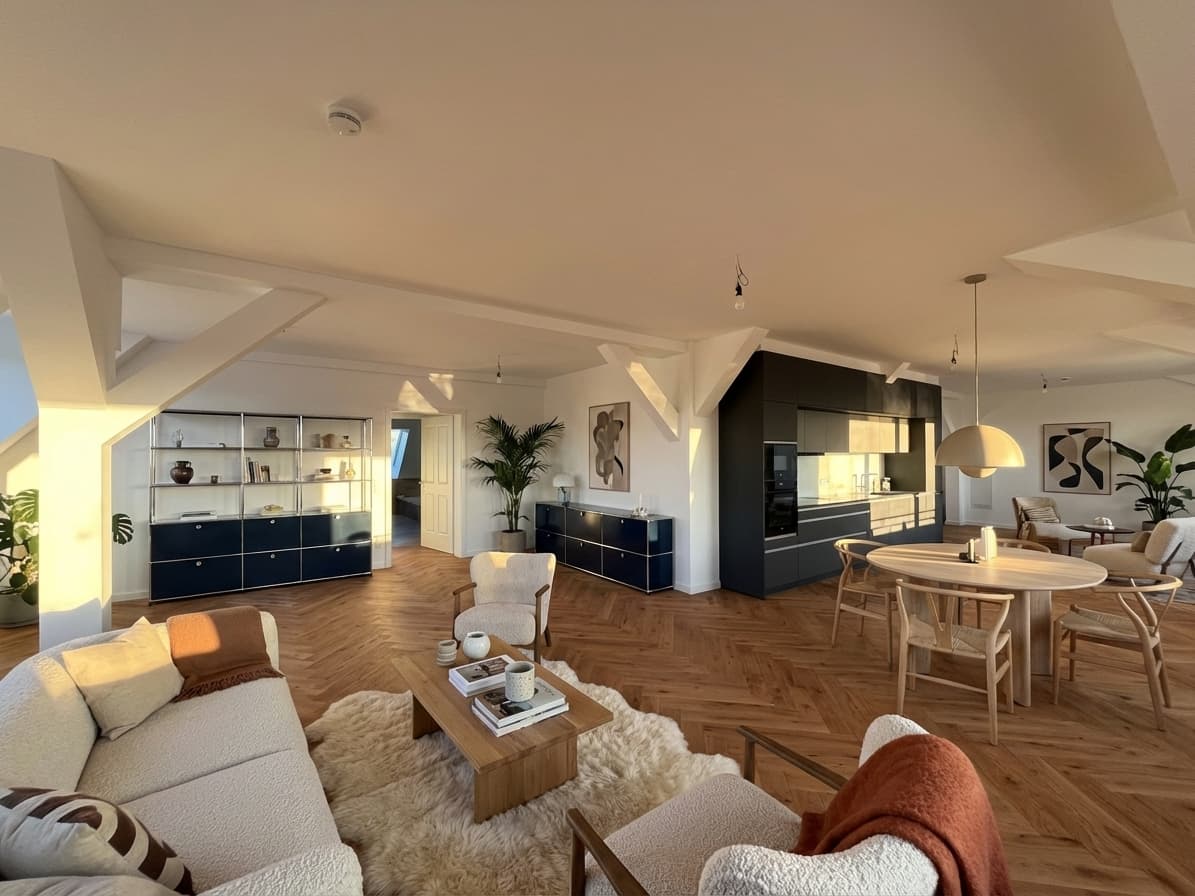
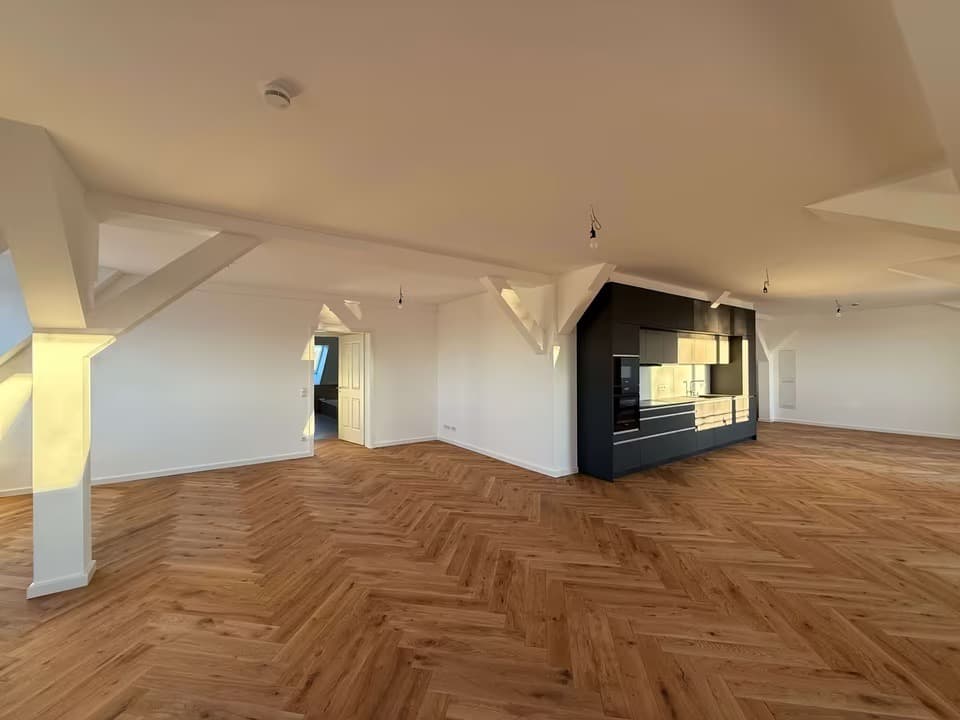
Swipe to compare before and after
Proof asset
The strongest agency workflows balance free drafts, believable imagery, revision control, and enough structure that multiple people can work without guesswork.
Problem
Empty listings underperform visually when the room feels undefined or emotionally flat.
External staging and rendering vendors add coordination steps, delays, and revision friction.
Teams need a system that can handle multiple rooms and properties without every result feeling generic.
Agency buyers need a low-friction way to test the workflow before rolling it into a paid listing process.
Workflow
Upload the room photo and define buyer fit, market tier, furnishing direction, and review constraints.
Produce one concept or several variants depending on how much optionality the listing and client review need.
Tighten furniture, materials, or styling details, then use bulk workflows when the team needs to process more rooms.
Feature fit
Move from hero rooms to broader property sets without reinventing the staging process every time.
Shape the staging around the likely audience instead of relying on a generic interior style.
Use Pro Studio or Agency once staging becomes part of a repeatable sales workflow.
Pricing cue
Planua's pricing ladder lets teams start with free drafts, prove the workflow on live listings, then upgrade into bulk and team-scale usage once the process sticks.
View pricing structureFAQ
Yes. Higher plans are built for broader throughput and bulk staging workflows across more than one room or property.
No. Teams can guide the result by buyer fit, budget tier, and furnishing density to match the listing context.
No. It shortens and simplifies the staging portion, but teams still decide how the imagery fits their broader listing and sales process.
Yes. The recommended path is to start free, run one real empty room through the workflow, then decide whether bulk or team plans are worth adding.
Related resources
See how listing teams choose, stage, review, and approve real estate photos.
See how teams move from one-off staging to repeatable listing workflows.
Learn how to handle multiple rooms or listings without slowing the team down.
Get the compliance basics right before staged images go live.
See how individual agents can test the same workflow before bringing it to a team.
Stage one real room, review the workflow internally, and see how quickly the team can move from upload to publishable output.