Virtual Staging for Real Estate Photographers: Add-On Workflow
A practical workflow for real estate photographers adding virtual staging to property media packages without creating review or delivery chaos.
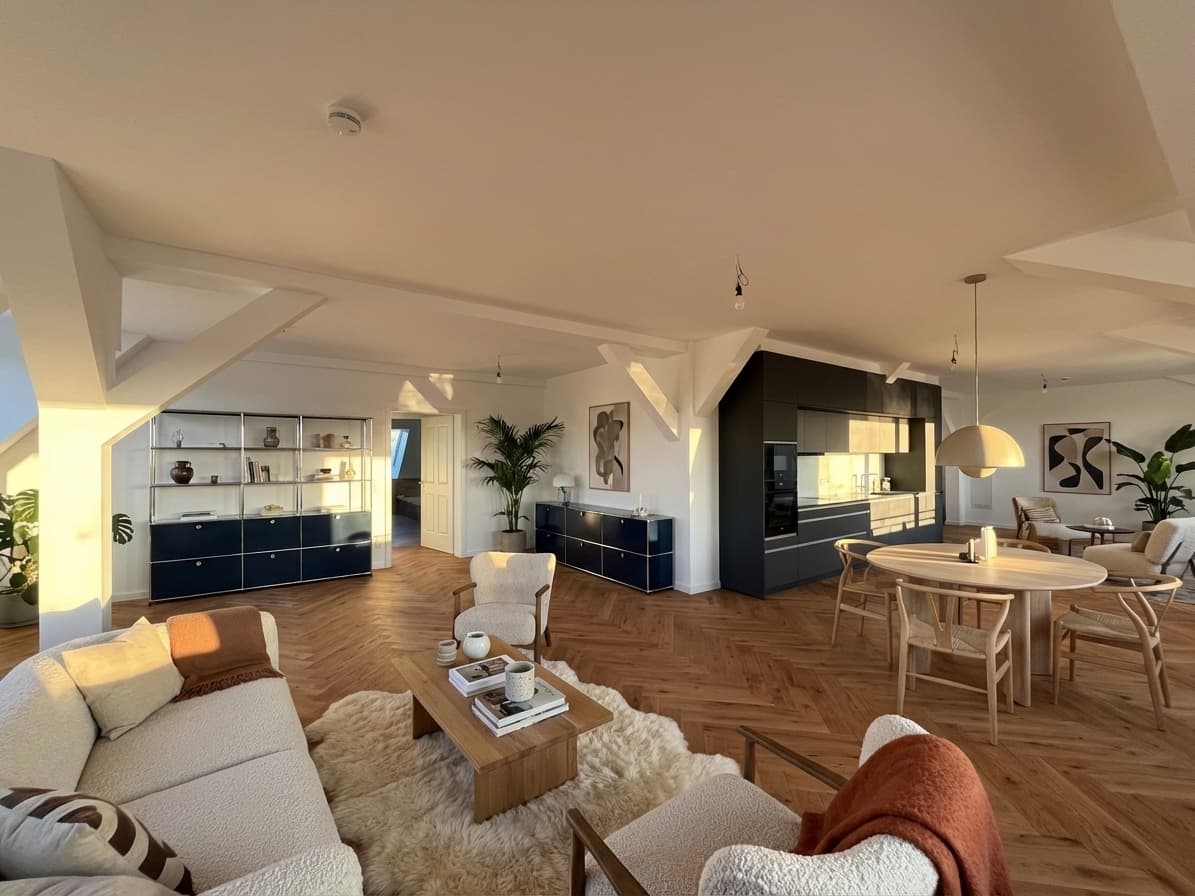
Virtual staging for real estate photographers is becoming a sharper search because empty-room listing photos are no longer only an agent problem. Photographers and media teams are often the first people who see which rooms need more context, which images could become stronger listing assets, and which broker clients would pay for a cleaner visual package.
The opportunity is not simply "add AI furniture." The useful offer is a repeatable add-on workflow: choose the right source photos, stage only the rooms that help the listing, review the output against the original, and hand off images in a way the agent can publish responsibly.
That is why this article focuses on virtual staging as a photography-service workflow, not a generic AI design trick.
Quick Answer
Real estate photographers should offer virtual staging when they already shoot empty or hard-to-read rooms and can package staged variants as a clear, reviewable client add-on. The workflow works best when the photographer keeps the original photo, stages only selected hero rooms, gives the agent both staged and unstaged context, and makes disclosure responsibilities clear before the images are used in a listing.
For photographers comparing tools, Planua's virtual staging for real estate photographers workflow is the natural next step because it is built around turning real listing photos into client-ready staging options without requiring 3D, CAD, or interior design capacity.
If your actual search is "virtual staging software for photographers," compare the workflow around the image as much as the image itself: source-photo selection, review, add-on packaging, delivery notes, and whether the agent can publish the staged version responsibly.
What Photographers Are Really Comparing
Searches like "virtual staging software for photographers" and "virtual staging photography" usually come from people who already sell listing media. They are not asking whether staged rooms can look good in theory. They are asking whether staging can become part of a real client offer.
That comparison usually includes:
- whether the staged image still respects the source photo,
- whether the photographer can produce a useful before/after example quickly,
- whether the broker or agent understands the add-on without extra explanation,
- whether review and disclosure stay manageable,
- whether pricing can fit inside an existing photo package,
- and whether the workflow can repeat across several listings without becoming a production mess.
If any of those fail, virtual staging becomes a novelty. If they work, it can become a useful premium option for empty homes, vacant apartments, renovation listings, and rooms where scale is hard to read.
Software Criteria For Photographers
A photographer-friendly staging tool should support the business shape of a real media package. Use these criteria before adding staging to client offers:
- Start from the delivered listing photo, not a generic room prompt.
- Preserve the room structure so the agent can compare staged and unstaged versions.
- Make one or two hero-room examples easy to produce after the shoot.
- Keep review work manageable before anything reaches the broker or seller.
- Fit pricing into an add-on, premium package, or broker-retainer model.
Those criteria matter because the offer is not "AI interior design." It is a service upgrade attached to real estate photography.
Start With Rooms Where Photography Already Hits A Limit
The best staging candidates are not always the prettiest photos. They are the rooms where strong photography still leaves buyers guessing.
Good candidates include:
- empty living rooms where buyers cannot read scale,
- vacant bedrooms that need a clear purpose,
- open-plan rooms where furniture can clarify zones,
- empty rentals where speed matters,
- home offices or flex rooms that need one obvious use,
- renovation or unfurnished listings where the agent needs a warmer first impression.
Weak candidates are different. Avoid staging photos where the original image is too dark, visibly distorted, cluttered, damaged, or already misleading. Virtual staging should make a real room easier to understand, not rescue a source photo that should be reshot or reviewed differently.
For the broader source-photo workflow, use the companion guide to virtual staging for real estate photos. That page is now getting the strongest recent Search Console traction in this cluster, which is a useful sign that Google is testing practical photo-staging content.
Package The Add-On In A Way Clients Understand
Most broker clients do not want a complicated production menu. They want to know what they get, when they get it, and how they can use it.
A clean photographer offer might be framed as:
- "Add 2 staged hero images to an empty listing shoot."
- "Stage the living room and primary bedroom from the delivered photo set."
- "Receive staged and unstaged versions for agent review."
- "Use staged images with your brokerage or MLS disclosure workflow."
The offer should be specific enough that the client does not imagine unlimited redesigns, furniture revisions, or renovation visualization. The tighter the package, the easier it is to price, deliver, and repeat.
Photographers should also decide whether virtual staging is:
- a standalone add-on,
- part of a premium listing media package,
- a broker-retainer perk,
- or an internal upsell shown after the shoot when empty-room candidates are obvious.
The strongest version is usually the one that fits how the photographer already sells listing media.
Build A Simple Production Workflow
Virtual staging becomes easier to sell when the delivery process feels predictable. Use a short workflow that protects both the photographer and the agent.
1. Flag Candidate Rooms After The Shoot
During culling or delivery prep, mark empty rooms that would benefit from furniture context. Do not send every room into staging by default. A small set of staged hero images is easier for clients to approve and easier for buyers to understand.
2. Stage From The Real Photo
Use the actual listing photo as the source. The room structure, angle, windows, doors, flooring, and built-ins should remain recognizable. This matters for trust, but it also makes the staged image easier for the agent to compare against the original.
3. Review Before Client Delivery
Check the staged image before it leaves your workflow:
- Are walls, floors, windows, and built-ins unchanged?
- Does furniture scale make sense?
- Are shadows, reflections, and room proportions believable?
- Did the edit hide anything a buyer should still see?
- Would the agent understand what changed?
If the answer is uncertain, fix the image or leave it out of the package.
4. Deliver Staged And Unstaged Context
Agents should be able to see the original room and the staged variant. That does not mean both versions always go live in the same place, but the review package should make the edit clear.
5. Hand Off Disclosure Responsibility Clearly
Photographers can provide staged media, but the agent, broker, MLS, or local listing workflow may decide how disclosure is handled. Make that handoff plain in your delivery notes so nobody treats a staged image as an ordinary unedited photo.
Make Disclosure A Client-Safe Habit
Virtual staging can be a good add-on only if it does not create avoidable publishing risk for the client.
Photographers should avoid promising MLS compliance. Requirements vary by market, brokerage, and platform. Instead, build a client-safe habit:
- label the staged files clearly in delivery,
- keep originals available,
- avoid changing permanent property features,
- tell the client the image is virtually staged,
- and remind them to apply their brokerage or MLS disclosure rules before publishing.
For wording and review standards, send clients to the AI virtual staging disclosure guide when they need a practical reference. It explains buyer-trust language without pretending one label works everywhere.
Price Against A Finished Add-On, Not A Single Render
Photographers should not evaluate virtual staging only by the cost of one generated image. The real business question is whether the add-on fits the time, review, client communication, and delivery process around the image.
Before pricing it, define:
- how many rooms are included,
- whether revisions are included,
- how quickly staged images are delivered after the shoot,
- whether the client receives staged and unstaged versions,
- whether the add-on is priced per image, per listing, or inside a premium package,
- and how much review time the photographer realistically spends.
Keep the claim modest. Virtual staging may make a media package easier to sell, but do not promise listing performance, sale-price lift, or guaranteed client revenue. Use your own close rates and client feedback before changing package pricing.
For cost framing, the virtual staging cost per photo guide is the better place to compare per-image pricing, subscriptions, and team volume.
If you want to compare that offer against the concerns photographers raise in public discussions, our review of virtual staging software Reddit feedback covers scale, structural changes, multi-image consistency, revisions, and the difference between generation cost and approved-image cost.
Where Planua Fits
Planua fits photographers who want virtual staging to behave like a production add-on rather than a side quest into design software.
Use Planua when you need to:
- start from normal listing photos,
- produce staged hero images for empty rooms,
- keep outputs reviewable before client delivery,
- package staging as a premium option for brokers or agents,
- and test whether the workflow fits your real shoot volume.
The photographer money page goes deeper on the offer shape, client positioning, and setup: virtual staging for real estate photographers.
Final Takeaway
Virtual staging for real estate photographers works when it is packaged like a professional media service: specific rooms, clear review, staged and unstaged context, and an honest handoff to the agent's publishing workflow.
Start with one real shoot. Pick one empty living room or bedroom, create a staged version, compare it against the original, and see whether the client understands the value quickly. If that first add-on is easy to explain and review, it can become a repeatable offer instead of a one-off experiment.
See Planua's photographer workflow when you are ready to test that add-on on real listing photos.
Try It On A Real Listing
Ready to turn empty room photos into listing-ready interiors?
Use this topic on a real listing and see how Planua fits your virtual staging workflow.
Keep Reading
Related virtual staging guides
ai virtual staging for real estate
AI Virtual Staging for Real Estate: What Teams Should Look For
A practical guide to AI virtual staging for real estate teams comparing speed, believability, buyer-fit controls, bulk workflows, and disclosure review.
virtual staging ROI for real estate listings
Virtual Staging ROI: A Practical Framework for Real Estate Teams
Measure virtual staging ROI using approved-image cost, review labor, time to publish, utilization, and retry burden instead of speculative listing outcomes.
bulk virtual staging for real estate teams
Bulk Virtual Staging for Real Estate Teams
Compare bulk virtual staging for real estate teams by listing volume, source-photo selection, batch consistency, review workflow, and cost per approved image.