Virtual Staging Cost Per Photo: What Real Estate Teams Should Compare
A practical guide to virtual staging cost per photo, vendor pricing, software subscriptions, free trials, and team-scale listing workflows.
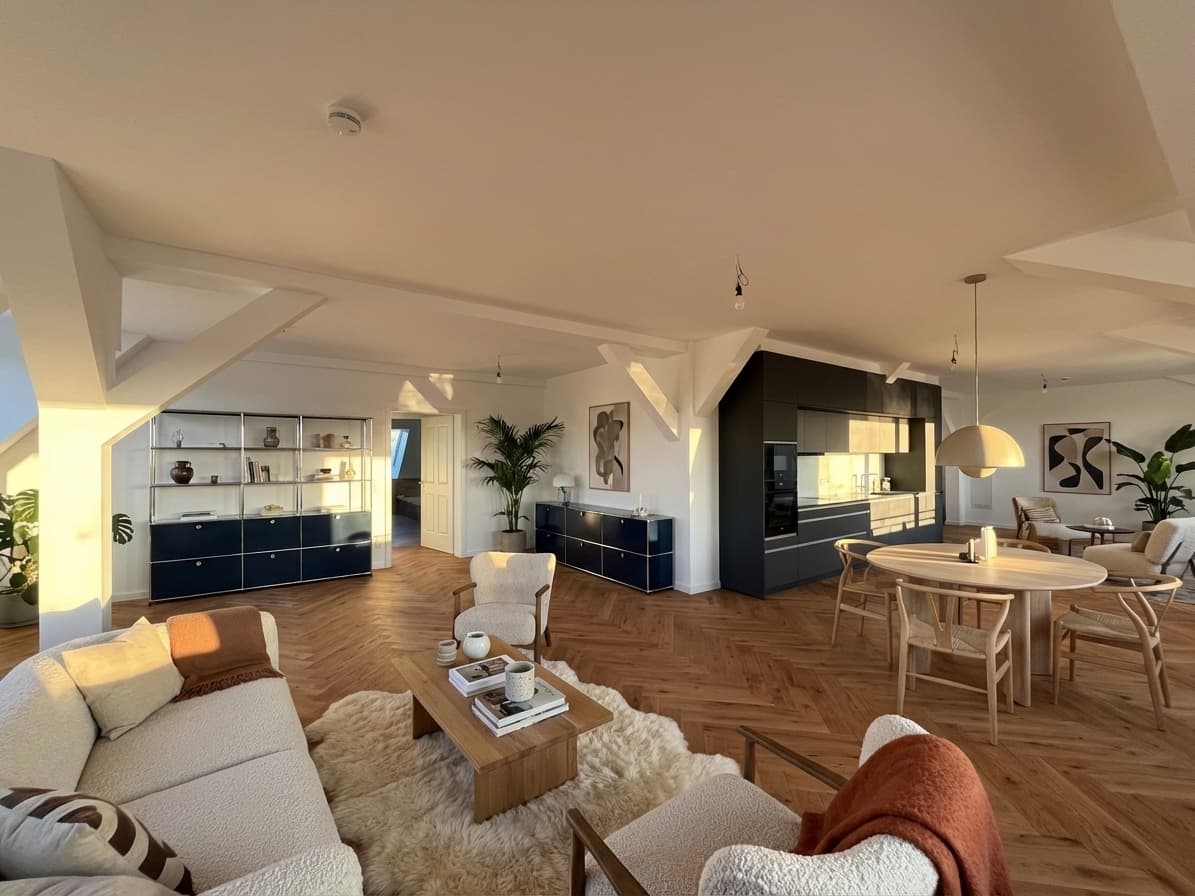
Virtual staging cost per photo sounds like a simple number, but it can hide a bigger workflow question. A team might pay one price for a single finished image, another price for a batch, and a different effective price if the tool uses credits, subscriptions, or free drafts.
The useful comparison is not only "how much is one staged photo?" It is: how much does it cost to get a believable, reviewed, listing-ready image from the source photo your team actually has?
If you are still comparing the broader cost of virtual staging across subscriptions, free tests, and recurring listing volume, start with the main virtual staging cost guide. If you are already matching staged-image volume to a monthly plan, jump to Planua pricing.
Quick Answer
Virtual staging cost per photo depends on four things:
- how many rooms or photos you need to stage,
- whether the price includes revisions or multiple variants,
- whether outputs are draft-quality or ready for client/listing use,
- and whether the workflow is a one-off order or part of a repeatable team process.
For one occasional empty room, per-photo vendor pricing can be easy to understand. For repeated listings, software pricing often gives teams more control because they can test, review, and scale the workflow without pricing every image as a separate project.
In This Guide
- What "cost per photo" really means
- Why the cheapest image is not always the lowest-cost workflow
- When per-photo pricing makes sense
- When software or subscription pricing makes more sense
- How to compare pricing without ignoring review, disclosure, and volume
- Where Planua fits in the decision
What Cost Per Photo Really Means
Most teams use "cost per photo" to mean the price of one finished staged image. That is a useful starting point, but it is incomplete.
A real listing workflow often includes more than one step:
- Choose the source room photo.
- Decide the room purpose and target buyer.
- Generate or order the staged version.
- Review whether the output preserved the real room.
- Request edits or generate another option if needed.
- Approve the image for the listing package.
- Add disclosure or notes where required.
If a tool charges per finished image but the first result is not usable, the effective cost goes up. If a software workflow lets the team test several drafts before choosing one, the listed price may not tell the whole story either.
That is why cost per photo should be compared against cost per approved image.
Cost Per Finished Image vs Cost Per Approved Image
The cleanest internal metric is not the price of a generated image. It is the cost of the image that actually survives review.
Ask:
- How many attempts does it usually take to get one approved image?
- Are revisions included or billed separately?
- Does the team need several style directions before the seller or broker approves one?
- Does the image need to be checked against local MLS or brokerage disclosure rules?
For example, a low per-photo price can become less attractive if the team has to repeat the order several times. A subscription or credit model can become more attractive if it lets the team test, refine, and review images quickly before choosing final outputs.
For a broader pricing overview, use the main virtual staging cost guide. This article focuses specifically on the per-photo comparison.
When Per-Photo Pricing Makes Sense
Per-photo pricing is usually easiest when virtual staging is rare or tightly scoped.
It can make sense when:
- you only need one or two rooms staged,
- the listing does not need several style options,
- the team wants a simple one-time expense,
- and there is no need for a repeatable internal workflow.
This model is simple for a solo agent or small team that stages empty rooms occasionally. The tradeoff is that every extra image, revision, or listing can feel like a separate buying decision.
If virtual staging becomes part of the listing process every month, the team should compare per-photo pricing against the cost of a reusable software workflow.
When Software Pricing Makes More Sense
Software pricing often fits better when staging becomes repeatable.
It can make sense when:
- a team stages several rooms per property,
- agents or coordinators want to compare drafts before final approval,
- multiple people need a consistent process,
- or the team wants to use virtual staging across more than one listing each month.
The advantage is not only price. It is control. A team can upload real listing photos, test a direction, review the output, and decide whether the image belongs in the listing package before committing to a larger workflow.
That is why teams comparing cost per photo should also review Planua's virtual staging software, pricing, and bulk virtual staging together.
The Hidden Cost: Review Time
The biggest hidden cost in virtual staging is usually review time.
If an image looks attractive but changes the room too aggressively, the team has to slow down. Someone needs to check whether the staging preserved walls, windows, floors, permanent fixtures, and room proportions. Someone also needs to decide whether disclosure language is required before publication.
That review work matters because virtual staging is not only a design task. It is a listing-marketing workflow.
Before comparing pricing, ask whether the workflow helps your team answer:
- Does the staged room still match the source photo?
- Would a buyer understand what is real and what is digitally staged?
- Can the team keep the original photo for internal review?
- Can the same process work across multiple rooms?
- Can the team explain the edit if a broker, seller, MLS, or buyer asks?
For disclosure context, read the MLS virtual staging rules guide before turning staged images into a repeatable process.
A Simple Cost Comparison Framework
Use this framework before choosing between per-photo vendors and software:
| Question | Why it matters |
|---|---|
| How many photos do we stage per month? | Low volume may favor simple per-photo pricing; higher volume may favor software or bulk workflows. |
| How many drafts do we need before approval? | The first output is not always the image that goes live. |
| Who reviews the image? | Seller, broker, MLS, and internal team review can all add friction. |
| Do we need disclosure support? | Responsible staging may require labeling, remarks, or internal notes. |
| Will this repeat next month? | Repeat work should be priced as an operating workflow, not a one-off task. |
This keeps the decision grounded in real listing behavior instead of just a price column.
Where Planua Fits
Planua is strongest when a team wants to test real empty-room photos, review the results, and decide whether virtual staging belongs in the listing process before scaling.
That makes it useful for teams comparing cost per photo because the decision can start small:
- Try one real room.
- Review whether the staged version is believable.
- Compare the result against the original photo.
- Decide whether the workflow should expand to more rooms or listings.
If the team only needs one occasional staged image, a simple per-photo vendor may be enough. If the team wants a repeatable way to stage listing photos, review outputs, and scale into more volume, software pricing becomes more relevant.
Practical Takeaway
Do not compare virtual staging cost per photo in isolation. Compare the cost of getting to an approved, believable, listing-ready image.
For one-off needs, per-photo pricing can be simple. For repeat listing work, compare Planua's pricing, virtual staging software, and bulk virtual staging workflow so the pricing decision matches how your team actually operates.
The safest next step is to test one real listing photo, review the result carefully, and only then decide whether the workflow should become part of your regular listing process.
Try It On A Real Listing
Ready to turn empty room photos into listing-ready interiors?
Use this topic on a real listing and see how Planua fits your virtual staging workflow.
Keep Reading
Related virtual staging guides
virtual staging cost
Virtual Staging Cost: What Real Estate Teams Should Expect
A practical guide to virtual staging cost, from free draft testing to team-scale usage for agencies with repeated listing volume.
virtual staging vs traditional staging
Virtual Staging vs Traditional Staging: When Each Makes Sense
Compare virtual staging and traditional staging across speed, cost, buyer clarity, and operational fit for real estate teams.
virtual staging and tours package
How to Package Virtual Staging and Virtual Tours for Real Estate Clients
A practical way for real estate photographers to package virtual staging and virtual tours with clear scope, pricing, review, and client handoff.