Real Estate Staging Software: A Buyer's Guide for Teams
Compare real estate staging software by output fidelity, listing workflow, team review, pricing model, and fit for repeated virtual staging.
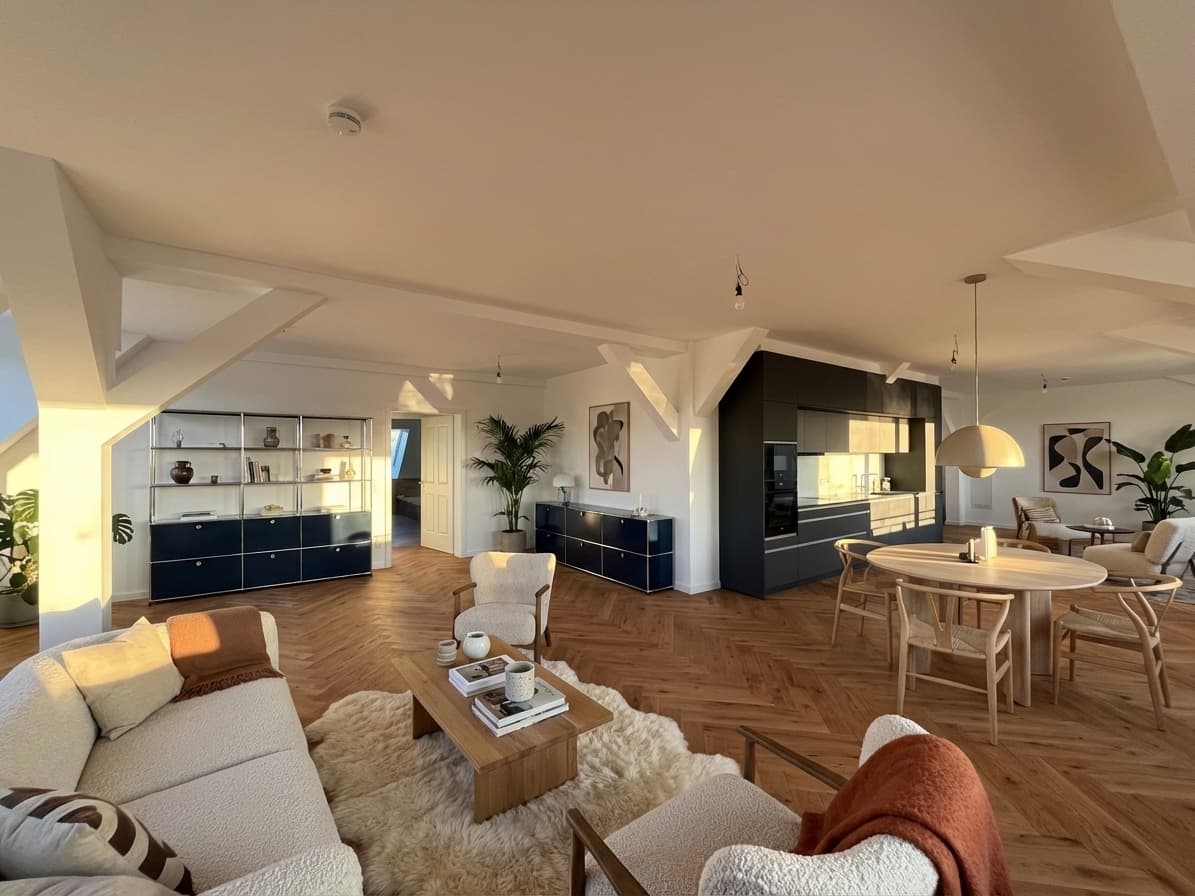
Real estate staging software should do more than generate an attractive room. It has to turn an actual property photo into a believable marketing asset that an agent, photographer, or listing coordinator can review and use.
That distinction matters when you are comparing AI virtual staging tools, outsourced editing services, and broader design platforms. A fast render is useful only if the room still matches the property, the team can approve it without a long revision cycle, and the pricing works at your listing volume.
This guide gives real estate teams a practical way to compare those options before committing to a plan or production workflow.
Quick Answer
Choose real estate staging software by testing one real listing from upload to final approval. The strongest option should:
- preserve walls, windows, doors, floors, fixtures, and room proportions;
- produce a style that fits the property and likely buyer;
- make source-versus-output review straightforward;
- support the number of rooms and listings your team actually handles;
- and fit your disclosure, approval, and pricing requirements.
Planua is built for teams that want a focused virtual staging software workflow for real property photos. Test it against an empty-room image your team would genuinely publish, then judge the approved result rather than the first draft alone.
Real Estate Staging Software Options at a Glance
The right category depends on how often you stage, how much control you need, and who owns final review.
| Option | Usually fits | Main tradeoff to test |
|---|---|---|
| AI virtual staging software | Agents and teams that want direct control and fast iteration | The team owns direction, quality review, and final approval |
| Outsourced per-image service | Occasional projects where an editor manages production | Turnaround, revisions, and cost can grow with image volume |
| General AI design platform | Concept exploration beyond listing marketing | Outputs and controls may not be designed around property accuracy |
| Traditional design software | Specialists who need detailed manual control | Requires more production skill and time |
Do not shortlist a category from feature lists alone. Run the same source photo through the real workflow and compare what it takes to reach a publishable result.
Start With the Listing Job, Not the Feature List
Before comparing tools, define what staging has to accomplish inside your business.
A solo agent may need to stage two key rooms in an occasional vacant listing. A photographer may want a repeatable add-on for client packages. A brokerage may need consistent output, named reviewers, and predictable volume across several agents.
Write down:
- the typical number of staged rooms per listing;
- how many listings need staging in a normal month;
- who selects source photos and style direction;
- who reviews the result against the property;
- whether original and staged versions are delivered together;
- and where the final image will be published.
These answers expose whether you need a convenient one-photo tool or an operating workflow. They also prevent you from paying for broad design features while missing the review controls your listing team actually needs.
Compare the Approved Image, Not the Best Demo
Software demos show what a platform can produce under favorable conditions. Your buying decision should be based on what it produces from your photography, property mix, and review standard.
Choose a source image that represents normal work:
- an empty living room or bedroom;
- clear enough to show permanent surfaces and fixtures;
- representative of your camera quality and framing;
- and useful enough that the final image could enter a real listing package.
Then compare the result with the original at full size.
Check structural fidelity
Furniture and decor can change. The property should not.
Review:
- wall, ceiling, and floor boundaries;
- window and door size and placement;
- built-in cabinets, radiators, outlets, and permanent fixtures;
- room depth, perspective, and usable floor area;
- reflections, shadows, and furniture contact with surfaces.
A visually polished result still creates rework if a reviewer has to question whether the room itself changed. The practical objective is not maximum transformation. It is a furnished interpretation of the same property.
For a detailed source-photo and review process, use the virtual staging workflow for real estate photos.
Check buyer and property fit
The room should help a buyer understand scale and likely use without overwhelming the actual listing.
Ask whether:
- the furniture dimensions look plausible;
- the style suits the property type and target market;
- circulation paths remain believable;
- one clear room purpose is easier to understand;
- and the result feels like listing photography rather than an interior-design concept.
More dramatic is not automatically more useful. A restrained image that survives agent and broker review can be more valuable than a striking render that needs repeated corrections.
Test the Complete Workflow
Generation time is only one part of turnaround. Measure the path from source photo to approved listing asset.
A useful pilot should include:
- selecting and preparing the source photo;
- choosing room type and staging direction;
- generating one or more candidates;
- comparing the output with the original;
- correcting or regenerating visible problems;
- obtaining the required internal approval;
- exporting, labeling, and storing the final files.
Track where judgment and handoffs occur. If an agent has to send screenshots through several channels, explain the same correction repeatedly, or reconstruct which original belongs to which output, the nominally fast tool may still create a slow listing process.
Evaluate repeatability across a room set
One hero image does not prove that software fits a listing.
If your typical property needs several staged rooms, test a small set. Look for coherent styling, appropriate furniture scale, and a review process that remains manageable across the collection. The images do not need identical furniture, but they should feel as if they belong to the same property and marketing brief.
Assign review ownership before scaling
Decide who can approve an image and what that approval covers.
A simple division of responsibility may be:
- the agent confirms buyer and property fit;
- the photographer or coordinator checks visual quality and file delivery;
- the listing lead compares permanent property details with the original;
- the broker or designated reviewer handles policy-specific questions.
Software does not replace these decisions. The right tool makes them easier to complete consistently.
Compare Pricing Against Usable Output
Real estate staging software may be sold through credits, subscriptions, per-image charges, or service packages. A headline price is difficult to compare until you know what counts as a finished result.
Estimate your own workflow using:
- staged images needed per month;
- average generations or revisions per approved image;
- export resolution requirements;
- team or seat requirements;
- occasional volume spikes;
- and staff time spent directing and reviewing output.
Then calculate cost per approved image and cost per completed listing—not just cost per generation.
A subscription can make sense for recurring work, while a per-image service may suit occasional volume. A free test is most useful when it lets you evaluate a representative source photo, output quality, and review burden before paying.
For a conservative breakdown of cost drivers and buying models, see the virtual staging cost guide. It avoids relying on a universal average that may not match your room count, revision needs, or team workflow.
Build Buyer Trust Into the Evaluation
Virtual staging changes how a property is presented, so the review standard has to include clarity as well as appearance.
Before publishing, your team should be able to:
- retain the original source photo;
- identify what was digitally added or changed;
- confirm that permanent property features remain accurate;
- decide how staged images will be labeled or paired with originals;
- and route the image through applicable brokerage, portal, and MLS review.
Rules and platform requirements vary. Software should not be treated as a source of legal or policy approval. Confirm the requirements that apply to the specific listing and market.
This trust step is also commercially useful. A repeatable original-versus-staged review reduces uncertainty for agents and makes the process easier to explain to sellers and buyers.
Use a Weighted Buying Scorecard
A scorecard prevents a dramatic first render or a low headline price from deciding the purchase by itself.
Rate each shortlisted option from one to five on:
| Criterion | Suggested weight | What to inspect |
|---|---|---|
| Structural fidelity | 25% | Permanent features, proportions, perspective, and surfaces |
| Publishable output quality | 20% | Realism, furniture scale, lighting, and property fit |
| Workflow and review | 20% | Direction, comparison, revisions, approval, and export |
| Repeatability and volume | 15% | Multi-room consistency and normal monthly throughput |
| Pricing fit | 10% | Cost per approved image or completed listing |
| Trust and disclosure readiness | 10% | Original retention, labeling process, and policy review |
Adjust the weights to match your operation, but keep fidelity and review near the top. A staging tool creates value only when the team trusts the final image enough to use it.
If you want a broader question set for the shortlist stage, compare this scorecard with the guide to choosing virtual staging software.
When Planua Fits the Shortlist
Planua fits teams looking for dedicated virtual staging software rather than a broad home-design playground.
It is a strong option to test when you need:
- staging based on actual empty-room listing photos;
- controlled style direction for a specific property;
- output that can be checked against the source image;
- a practical path from one-room pilot to repeated use;
- and direct ownership of the staging workflow instead of an outsourced queue.
The correct next step is not to move an entire portfolio immediately. Select one representative image, define the review standard in advance, and see whether the team can reach an approved result efficiently.
Final Takeaway
The best real estate staging software is the option that reliably turns your source photos into approved listing assets.
Compare categories first, then test one real listing. Inspect structural fidelity, property fit, team review, repeatability, trust requirements, and total cost per usable image. That process gives you a defensible buying decision instead of a feature-list comparison.
Test Planua's virtual staging workflow on a listing photo, review the output against the original, and scale only when the process works for your team.
Try It On A Real Listing
Ready to turn empty room photos into listing-ready interiors?
Use this topic on a real listing and see how Planua fits your virtual staging workflow.
Keep Reading
Related virtual staging guides
best virtual staging software for real estate
Best Virtual Staging Software for Real Estate Teams
A practical buying guide for real estate agencies comparing virtual staging software across output quality, workflow fit, bulk staging, pricing, and review.
virtual staging for real estate photos
Virtual Staging for Real Estate Photos: A Listing Workflow
A practical workflow for using virtual staging on real estate photos, from room selection and review to disclosure, team scale, and software fit.
ai virtual staging for real estate
AI Virtual Staging for Real Estate: What Teams Should Look For
A practical guide to AI virtual staging for real estate teams comparing speed, believability, buyer-fit controls, bulk workflows, and disclosure review.