Virtual Staging AI Alternatives for Real Estate Teams
Compare Virtual Staging AI alternatives by structural fidelity, review effort, pricing fit, and readiness for repeatable real estate listing work.
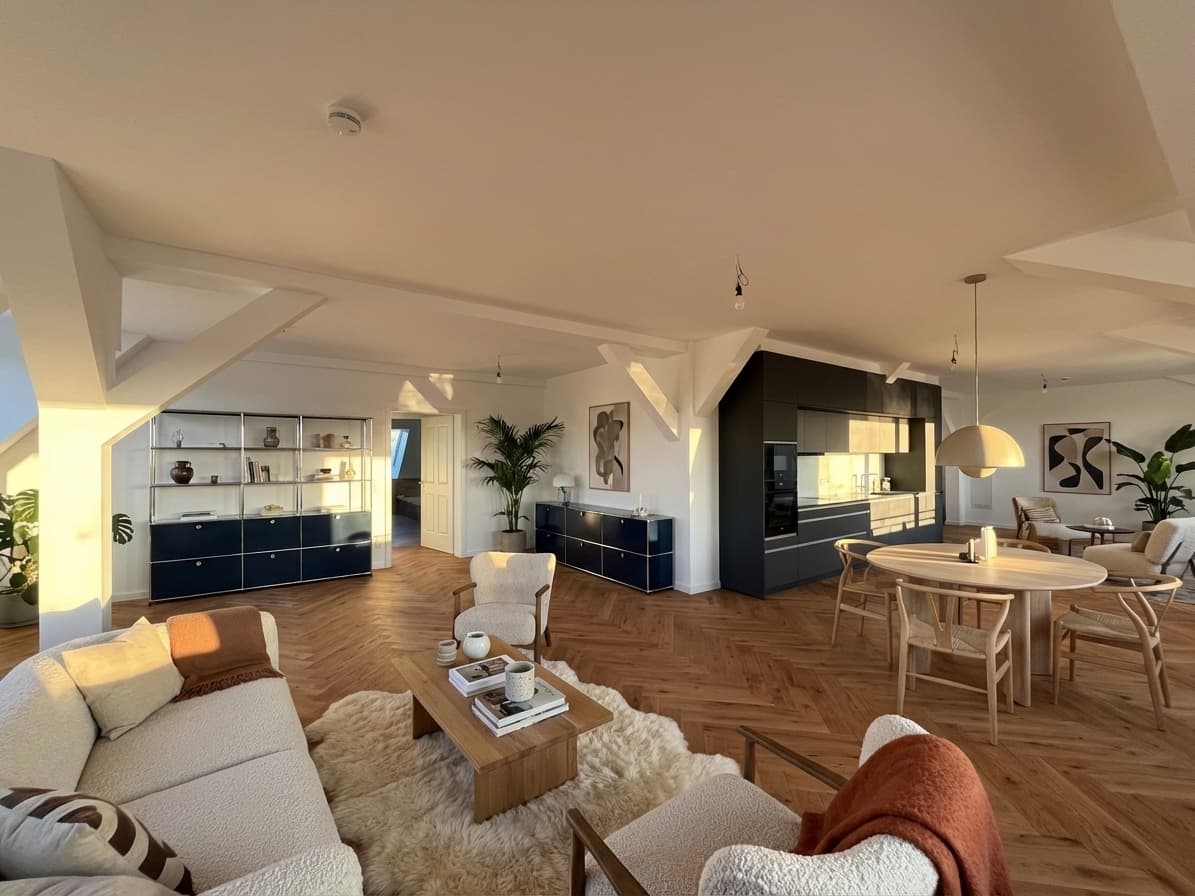
Searching for Virtual Staging AI alternatives usually means the first tool you found is not yet a confident fit. It may create an attractive first render, but your team still needs to know whether the room remains accurate, how much review work each image requires, and whether the pricing makes sense across real listings.
The useful comparison is therefore not a gallery contest. It is a test of the complete path from an original property photo to an approved image your team is prepared to publish.
Quick Answer
The main alternatives to a speed-first AI staging tool are focused real estate staging software, human-edited per-image services, general AI interior-design tools, and manual image-editing workflows.
For most agents and real estate teams, the strongest alternative will:
- preserve walls, windows, doors, floors, fixtures, and room proportions;
- give a normal team member enough control to stage a real listing photo;
- make source-versus-output review straightforward;
- produce a coherent set across several rooms;
- and keep the cost per approved image predictable.
Planua's virtual staging software is the focused-software option in this comparison. Test it with the same source photo and approval standard you use for every other candidate.
Virtual Staging AI Alternatives at a Glance
| Alternative | Best fit | What to verify before buying |
|---|---|---|
| Focused real estate staging software | Agents and teams that want direct control and repeatable use | Structural fidelity, review flow, consistency, and team throughput |
| Human-edited staging service | Occasional listings where the team prefers to brief a vendor | Turnaround, revision scope, delivery format, and cost at higher volume |
| General AI interior-design tool | Early design exploration or broad visual experimentation | Whether outputs and controls are suitable for truthful listing marketing |
| Manual image-editing workflow | Teams with skilled production staff and detailed control needs | Editing time, training, asset licensing, and process repeatability |
No category wins every use case. A solo agent staging one vacant property has a different operating need from a brokerage processing several listings each week.
Why Teams Look Beyond the First AI Staging Tool
Fast generation is useful, but the first image is only one part of the work. A listing team also has to select source photos, direct the style, compare the result with the property, request corrections, approve the set, retain originals, and handle any disclosure requirements.
An alternative becomes worth considering when the current workflow creates one or more of these problems:
- permanent features change between the original and staged image;
- furniture scale makes the room appear larger or smaller than it is;
- each regeneration introduces a new issue;
- related rooms do not share a believable visual direction;
- only one specialist knows how to get acceptable results;
- pricing looks low per generation but review and retry effort is high;
- or originals, staged versions, and approvals are difficult to track.
Before changing tools, name the actual failure. Otherwise, the team may trade one fast generator for another without improving the route to approval.
Compare Structural Fidelity First
Virtual staging should add removable furnishings and decor. It should not redesign the property.
Use the original image as the source of truth and compare:
- wall, floor, and ceiling boundaries;
- windows, doors, radiators, outlets, and built-ins;
- permanent lighting and kitchen or bathroom fixtures;
- room depth and camera perspective;
- reflections, shadows, and contact points;
- and furniture scale relative to known features.
Review at full image size, not only as a listing thumbnail. Small structural changes can be easy to miss in a compressed preview and obvious when a buyer compares the image with the room in person.
The virtual staging workflow for real estate photos provides a fuller source-photo and review process. It is a useful companion when several people select, stage, and approve listing media.
Measure Time to an Approved Image
“Generated in seconds” does not tell a team how quickly an image becomes publishable.
Track the full workflow during a trial:
- Prepare and upload the source photo.
- Choose the room type and design direction.
- Generate the first result.
- Compare it with the original.
- Correct or regenerate unacceptable details.
- Ask the responsible reviewer to approve it.
- Export, label, store, and deliver the final files.
Record elapsed time, generation count, correction effort, and reviewer involvement. A tool with a slightly slower first result may still win if it reaches approval with fewer retries. A cheap generation may become expensive when an agent, photographer, or coordinator repeatedly checks and corrects it.
This is also the right time to test usability. If one experienced operator can create a strong image but a normal team member cannot repeat the process, the workflow may not scale beyond that operator.
Test a Listing Set, Not One Hero Image
A single strong living-room image does not prove that a tool can support a complete listing.
Run at least three representative photos:
- two views of the same room, when available;
- one second room from the same property;
- and one source image with a feature the model must preserve carefully.
Then review the images together. Look for consistent furniture scale, style, color direction, image quality, and treatment of permanent features. The set should help buyers understand the property without making each room feel as though it came from a different campaign.
For higher-volume teams, add a second property and a second operator to the trial. That exposes whether quality depends on a specific photo, prompt, or person.
Compare Pricing by Approved Output
Pricing comparisons often fail because the units are different. A subscription, credit bundle, per-photo service, and internal editing workflow do not include the same labor or deliverable.
Use a common calculation:
software, vendor, and review cost ÷ approved images
Include:
- subscription or credit charges;
- failed generations and paid revisions;
- operator time;
- reviewer time;
- manual correction or vendor communication;
- and any export or resolution requirements.
Then model the team's actual volume. An occasional user may value a low-commitment per-image service. A team with recurring vacant listings may prefer a direct software workflow with faster iteration and less vendor coordination.
Avoid basing the decision on unsupported market averages. The virtual staging cost guide explains the main cost variables, while the provider's current pricing page should remain the source for plan details.
Decide How Much Control the Team Needs
Different alternative categories move control and responsibility to different places.
Focused real estate staging software
The team controls source selection, design direction, review, and approval. This is a strong fit when staging is recurring and the team wants to iterate directly. The tradeoff is that the team must maintain a clear review standard.
Human-edited staging services
A vendor handles more of the production process from a brief. This can suit occasional work or teams that do not want to operate software. Compare turnaround, included revisions, communication overhead, and how easily the vendor can maintain direction across a listing set.
General AI design tools
Broad interior tools can be useful for visual exploration. Before using one for listing media, verify that it preserves the real property, works from the team's actual photography, exports suitable files, and supports a reviewable process. A compelling redesign concept is not automatically a responsible listing image.
Manual image editing
Manual workflows offer detailed control to a skilled editor. They also add production time, training, asset management, and dependence on specialist capacity. Compare them when precise art direction matters enough to justify that operating cost.
Use a Weighted Buying Scorecard
Agree on criteria before anyone sees the outputs. This reduces the risk that one polished image overrides the operational requirements.
| Criterion | Suggested weight | Passing question |
|---|---|---|
| Property accuracy | 30% | Did permanent features and proportions remain faithful to the source? |
| Publishable realism | 20% | Do scale, perspective, contact, lighting, and materials hold up at full size? |
| Review effort | 15% | Can the team identify and resolve issues without specialist intervention? |
| Listing-set consistency | 10% | Do related images maintain a coherent quality and direction? |
| Workflow fit | 10% | Can the existing agent, photographer, and coordinator roles use it? |
| Cost per approved image | 10% | Is total cost predictable at normal volume? |
| Trust readiness | 5% | Can originals, labels, disclosures, and approvals be handled clearly? |
Adjust the weights before the test if your operation has a different priority. Do not change them afterward to justify a preferred result.
For a broader shortlist process, see how to choose virtual staging software. It covers volume, workflow ownership, and team adoption in more detail.
Protect Buyer Trust During the Comparison
Every candidate is a production tool, not an automatic approval system. The listing team remains responsible for deciding whether an image accurately represents the property and is suitable to publish.
During the trial:
- retain the unedited original;
- reject outputs that change permanent property features;
- avoid furniture arrangements that imply impossible dimensions;
- define who has final approval authority;
- and confirm the applicable brokerage, portal, MLS, and local requirements.
Requirements vary by location and platform, so this article is not legal advice. A tool should make responsible review easier; it cannot replace the team's market-specific checks.
Where Planua Fits
Planua is designed for real estate teams that want a focused virtual staging workflow rather than a general interior-design playground or an outsourced editing queue.
It is a strong candidate when your buying criteria prioritize:
- staging actual empty-room listing photos;
- preserving the underlying room during review;
- directing the result around property and buyer fit;
- iterating without a vendor handoff;
- and building a repeatable process across rooms and listings.
Planua should still be tested, not assumed to win. Use one representative photo, save the original, apply the scorecard, and count the work required to reach an approved image. Then repeat the test across a small listing set.
Final Takeaway
The best Virtual Staging AI alternative is the option that produces accurate, believable listing images through a workflow your team can repeat and afford.
Compare categories first, then test shortlisted tools with identical source photos and approval criteria. Score property accuracy before style, measure time and cost to approval, review a complete listing set, and keep buyer trust inside the process.
Test Planua on a real listing photo and compare the approved result—not only the first render—with the alternatives on your shortlist.
Try It On A Real Listing
Ready to turn empty room photos into listing-ready interiors?
Use this topic on a real listing and see how Planua fits your virtual staging workflow.
Keep Reading
Related virtual staging guides
virtual staging vs traditional staging
Virtual Staging vs Traditional Staging: When Each Makes Sense
Compare virtual staging and traditional staging across speed, cost, buyer clarity, and operational fit for real estate teams.
virtual staging software reddit reviews
Virtual Staging Software Reddit Reviews: What Agents and Photographers Say
A transparent analysis of Reddit discussions about virtual staging software, covering room accuracy, realism, consistency, pricing, review, and disclosure.
virtual staging for real estate photos
Virtual Staging for Real Estate Photos: A Listing Workflow
A practical workflow for using virtual staging on real estate photos, from room selection and review to disclosure, team scale, and software fit.