California AB 723 and Virtual Staging Photos: A Checklist for Real Estate Agents
A practical California AB 723 checklist for real estate agents using virtual staging photos, including original-image access, disclosure, CRMLS steps, and review.
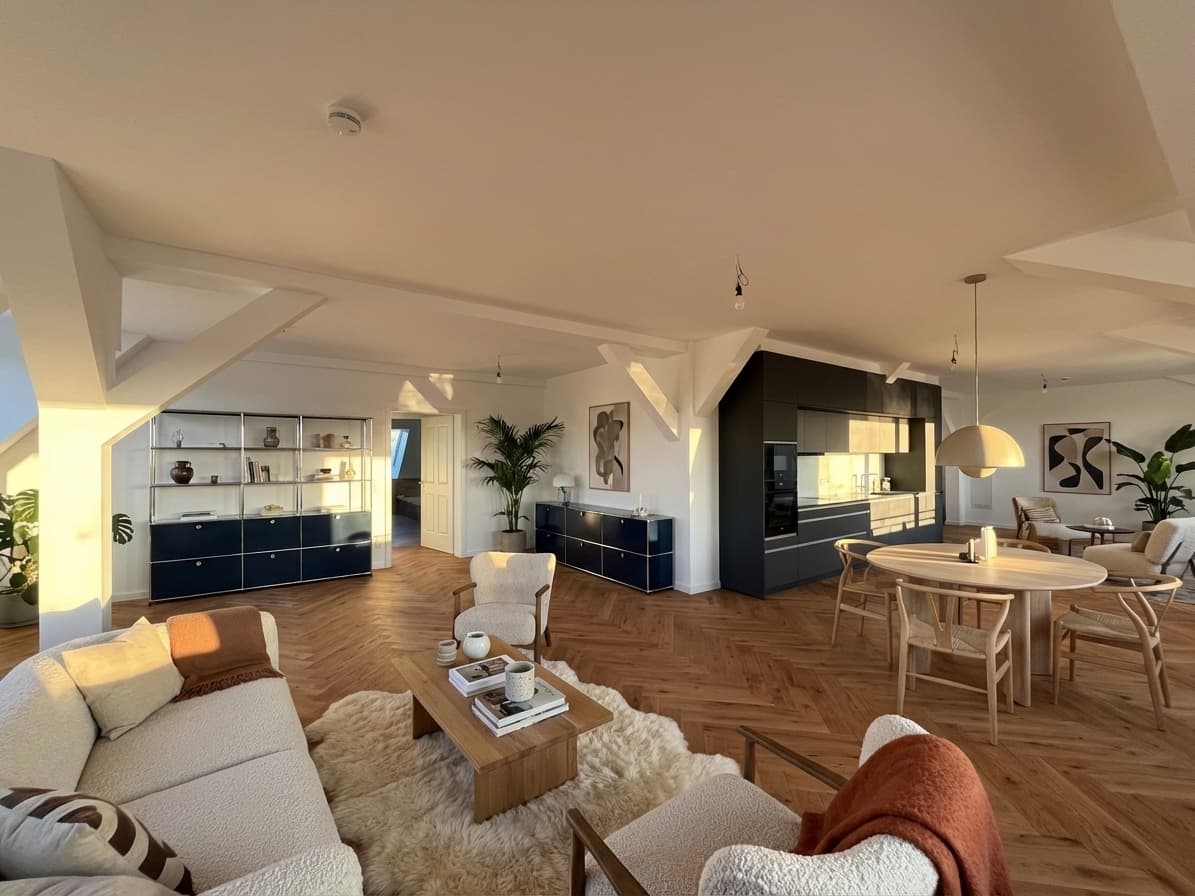
California AB 723 makes disclosure and original-photo access part of publishing virtual staging. The state law and MLS rules can create related but distinct requirements, so a brokerage-site disclosure may not satisfy the CRMLS upload workflow.
This guide reflects the official sources available on July 29, 2026. It is practical information, not legal advice. Confirm current requirements with your broker, MLS, and qualified California counsel before publishing.
Quick Answer
California AB 723 applies when a real estate broker or salesperson, or someone acting on their behalf, uses a digitally altered image in advertising or promotional material for the sale of real property. Virtual furniture counts as a digital alteration.
For each virtually staged image, build the workflow around five actions:
- Retain the exact original, unaltered photo.
- Add a reasonably conspicuous alteration statement on or adjacent to the staged image.
- Tell viewers in that statement how to access the original.
- Provide a public URL or QR code to a clearly identified original, or include the original where the law permits that approach.
- Apply any stricter MLS and brokerage steps. CRMLS currently instructs users to label the altered image in the photo description and place the original immediately before or after it.
What California AB 723 Requires
The official chaptered text of AB 723 added Section 10140.8 to the California Business and Professions Code. The law took effect January 1, 2026.
It applies when a broker, salesperson, or person acting on their behalf includes a digitally altered image in advertising or promotional material for the sale of real property. It requires:
- a statement disclosing that the image was altered;
- a reasonably conspicuous placement on or adjacent to the altered image;
- a public website, URL, or QR code that includes and clearly identifies the original, unaltered image; and
- language in the disclosure statement telling viewers that the original can be accessed through that link, URL, or QR code.
On a website controlled by the covered person, the posting must also include the original image or use the statute's public-link method. A source file stored only in a private drive does not give viewers the access described by the law.
Does Virtual Staging Count as a Digitally Altered Image?
Yes. AB 723 covers images changed with photo-editing software or AI to add, remove, or change elements including furniture, fixtures, appliances, flooring, walls, paint color, landscaping, views, and neighboring-property elements. Adding virtual furniture and digitally removing existing furniture both fall within the definition.
Common photographic adjustments such as lighting, sharpening, white balance, color correction, straightening, cropping, and exposure are excluded when they do not change how the real property is represented.
For a broader explanation of image labeling and review, compare the AI virtual staging disclosure workflow with these virtual staging disclosure examples.
AB 723 and CRMLS: Related, but Not Identical
The state law establishes the California disclosure and original-access obligations. An MLS can also define how subscribers must implement image rules inside its system.
CRMLS's Digitally Altered Image Guidance & FAQs, updated July 24, 2026, tells subscribers to label the altered image in the photo description and put its original, unaltered version immediately before or after it. The guidance also says that virtually clearing furniture counts as an alteration.
| Publishing question | California AB 723 | Current CRMLS guidance |
|---|---|---|
| Must the altered image be identified? | Yes; use a reasonably conspicuous statement on or adjacent to it | Yes; label it in the photo description with wording such as “virtually staged” or “digitally altered” |
| Must viewers get the original? | Yes; provide access through a public website, URL, or QR code, with additional rules for controlled websites | Yes; include the original immediately before or after the altered image |
| Is a watermark alone enough? | No; the required original-access language and access method still matter | No; CRMLS says the photo description needs an acceptable label |
| Can permanent property features be changed? | Such changes fall within the statute's altered-image definition | CRMLS truth-in-advertising guidance says users cannot add, remove, or modify real property components such as wall color, flooring, cabinets, or wall dimensions |
| Can landscaping be generated as a future possibility? | Landscape changes are expressly within the altered-image definition | CRMLS says altered landscaping not included in the sale should not be uploaded to the MLS |
For a CRMLS listing, follow its upload workflow and separately check each other advertisement—such as a brokerage site, social post, email, or print piece—against the requirements for that channel.
California AB 723 Virtual Staging Checklist
Use this checklist for every staged photo, not only once per listing.
| Step | What the listing team should do | Approval evidence |
|---|---|---|
| 1. Identify the channel | List every place the image will appear, including the MLS, controlled websites, portals, social media, email, and print | Channel inventory |
| 2. Save the original | Preserve the exact source image before any furniture, decor, or other element is added or removed | Original file with a stable name |
| 3. Limit the staging brief | Add only plausible furniture and decor; do not ask the editor to repair, hide, or redesign real property features | Written staging brief |
| 4. Compare both images | Check walls, doors, windows, floors, fixtures, views, proportions, and visible condition against the original | Reviewer sign-off |
| 5. Write a plain disclosure | State that the image is virtually staged or digitally altered | Final disclosure text |
| 6. Explain original access | Include language telling the viewer that the original image is available at the linked URL or QR code | Disclosure plus destination |
| 7. Test public access | Open the destination without an account or internal permission and verify that the matching original is clearly identified | Tested public link |
| 8. Configure controlled sites | Include the original on the posting or use the public-link method described in AB 723 | Page preview |
| 9. Apply the MLS workflow | For CRMLS, place the original immediately before or after the staged version | Final photo order |
| 10. Label the MLS photo | For CRMLS, enter an acceptable altered-image label in the photo-description field | Listing preview |
| 11. Review every derivative | Recheck cropped graphics, flyers, reels, and syndication outputs; a disclosure can disappear during republishing | Channel-level approval |
| 12. Archive the package | Retain the original, staged output, disclosure, URL, screenshots, date, and reviewer | Listing compliance folder |
The operational principle is simple: never let a staged image become separated from its original, disclosure, and review record.
Disclosure Wording to Adapt
No one marketing sentence is a universal safe harbor. Review wording and placement for each channel. A practical starting point is:
This image has been virtually staged and includes digitally added furnishings. View the original, unaltered image at [public URL].
For a printed flyer, the same sentence can point to a QR code:
This image has been virtually staged. Scan the QR code to view the original, unaltered photo.
For CRMLS, use an acceptable label in the image-description field and pair the image with its original. Do not assume text hidden in general remarks is “on or adjacent to” the image. These are workflow examples, not legal templates; another California MLS may use different fields or image-order rules.
Edits That Need a Stop, Not Just a Disclosure
AB 723 does not replace truth-in-advertising rules, MLS policies, or a licensee's other duties. CRMLS warns against modifying actual property components. Stop an image from publication when staging:
- changes wall dimensions, doors, windows, flooring, cabinets, or paint color;
- removes utility poles, wires, damage, stains, or other visible conditions;
- replaces the real view through a window;
- shows landscaping that the seller will not provide as part of the listed price; or
- makes furniture scale distort the room's usable dimensions.
Disclosure does not make a misleading image acceptable. Keep the original geometry and condition intact. The virtual staging for real estate photos workflow provides a practical review process.
A Safer Handoff for Photographers and Marketing Teams
AB 723 includes people acting on behalf of a broker or salesperson. Give photographers, assistants, and agencies explicit instructions. For each staged image, request:
- the original and staged files using matching identifiers;
- a note describing what was added or removed;
- no destructive overwrite of the source file;
- a ready-to-review disclosure line;
- and confirmation that permanent property features were not intentionally changed.
The licensee's team should still perform the final comparison and channel review.
Where Planua Fits
Planua can create a furnished version of a real empty-room photo for review. The team must still decide whether the output preserves the room and belongs in the marketing package.
For a California workflow:
- Keep the source photo as the original record.
- Create the staged variant with Planua.
- Compare the two images for property accuracy.
- Reject any output that changes a permanent feature or hides a condition.
- Publish only after adding the disclosure, original access, and MLS-specific steps your reviewer approves.
Planua does not determine compliance or replace broker review. Agents remain responsible for the final listing package. Evaluate Planua's virtual staging software alongside the compliance workflow rather than treating generation as the final step.
Frequently Asked Questions
When did California AB 723 take effect?
AB 723 took effect on January 1, 2026. The official page identifies it as Chapter 497, approved and filed on October 10, 2025.
Does AB 723 apply only to MLS photos?
No. Its wording covers advertising or other promotional material for the sale of real property used by a covered licensee or someone acting on their behalf. Confirm implementation for each channel.
Does the original have to appear next to the staged image?
CRMLS currently requires the original immediately before or after the altered image. The statute describes a public website, URL, or QR-code method and adds requirements for controlled websites. Apply both rules as relevant.
Is “virtually staged” in the image description enough?
Not for the complete AB 723 workflow. The law also requires original-image access and language telling the viewer how to reach the original. CRMLS separately requires the acceptable image-description label and adjacent original.
Can an agent publish a staged image if furniture is the only change?
Furniture is specifically included in AB 723's definition of a digitally altered image. It can be a normal virtual-staging use case, but the disclosure and original-image workflow still applies.
Final Review Before Publishing
California teams should treat original-image access as part of the asset, not as a correction added after the listing goes live. Preserve the source, constrain the edit, make the disclosure conspicuous, connect the viewer to the clearly identified original, and complete the local MLS workflow.
Requirements can change, and broker policies may be stricter. Confirm the current rule with your broker and MLS for every publication system you use.
Review the MLS virtual staging guide before approving your next virtually staged California listing.
Try It On A Real Listing
Ready to turn empty room photos into listing-ready interiors?
Use this topic on a real listing and see how Planua fits your virtual staging workflow.
Keep Reading
Related virtual staging guides
virtual staging for real estate photos
Virtual Staging for Real Estate Photos: A Listing Workflow
A practical workflow for using virtual staging on real estate photos, from room selection and review to disclosure, team scale, and software fit.
virtual staging vs traditional staging
Virtual Staging vs Traditional Staging: When Each Makes Sense
Compare virtual staging and traditional staging across speed, cost, buyer clarity, and operational fit for real estate teams.
AI virtual staging disclosure
AI Virtual Staging Disclosure for Real Estate Teams
A practical disclosure workflow for brokers, agents, and listing teams using AI virtual staging without weakening buyer trust.